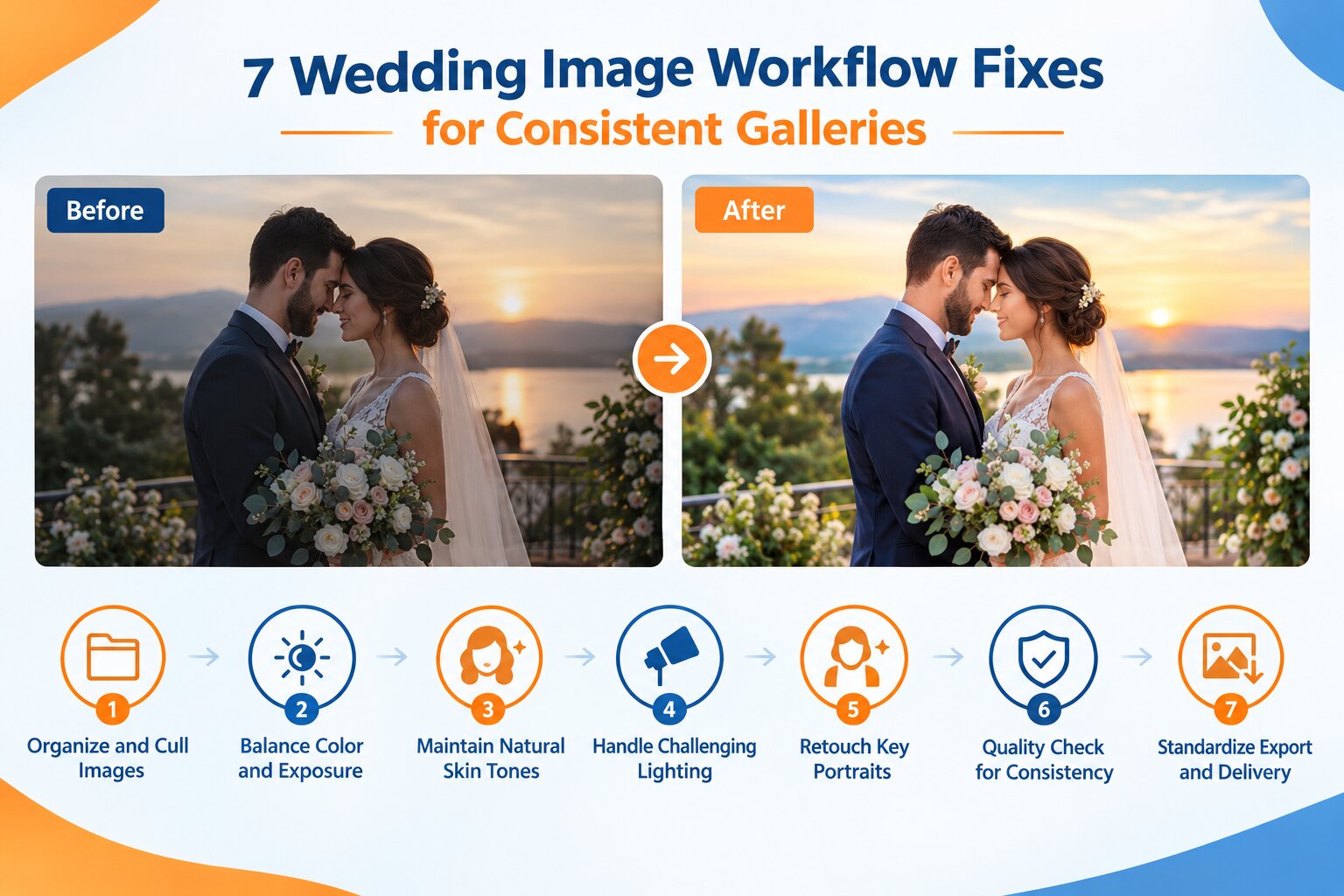
7 Wedding Image Workflow Fixes for Consistent Galleries
Ansu Man | Oct. 28, 2026 | Categories: Retouching | 0 comments
Wedding photography involves hundreds or thousands of images captured under rapidly changing lighting conditions. A single event may include indoor preparations, outdoor ceremonies, family portraits, golden-hour couple shots, and reception photographs illuminated by flash, candles, and colored stage lights. Making every image look consistent while preserving the atmosphere of each moment is a major post-production challenge.
For wedding photographers and studios, an inefficient editing process can create delivery delays, inconsistent skin tones, and excessive revision work. A structured wedding image processing workflow helps control these problems. Combining batch editing with professional photo retouching allows photographers to process large galleries efficiently while giving important portraits the detailed attention they deserve.
1. Organize and Cull Images Before Editing
Editing every photograph captured during a wedding wastes time on duplicates, missed focus, closed eyes, and near-identical frames. Poor organization also makes it harder to track images across multiple cameras and photographers.
How to fix it
Back up the original files to separate storage locations before processing. Organize images by event, scene, camera, and sequence. Then perform a structured culling process that removes technically unsuitable frames while preserving meaningful expressions and moments.
For burst sequences, compare sharpness, facial expressions, gestures, and composition rather than automatically selecting the sharpest image. AI-assisted culling can identify likely duplicates and technical failures, but the photographer should make the final selection when emotional context matters.
2. Establish Consistent Color and Exposure
Wedding galleries often shift between warm indoor lighting, cool daylight, green outdoor reflections, and mixed artificial illumination. Applying identical adjustments to every photograph can produce inconsistent results because each lighting environment affects skin, clothing, and background colors differently.
How to fix it
Select a representative image from each lighting scene and establish a reference edit. Correct white balance, exposure, highlights, shadows, and contrast before synchronizing suitable settings across similar photographs.
Use localized adjustments for images that need individual corrections. Protect the texture of white wedding dresses, preserve detail in dark suits, and avoid excessive saturation that makes floral arrangements or decorative lighting appear unnatural. A professional retouching team can refine difficult images while maintaining a consistent visual style across the gallery.
3. Preserve Natural Skin Tones Across Different Lighting
Skin-tone inconsistency is particularly noticeable in wedding albums because couples and family members often appear in photographs captured at different times and locations. Green reflections from lawns, magenta stage lights, and warm tungsten illumination can create unwanted color shifts.
How to fix it
Correct the overall white balance first, then use selective color adjustments to address localized casts on faces, necks, and exposed skin. Compare skin tones across consecutive photographs instead of evaluating each image independently.
Retouching should preserve natural skin texture, freckles, fine lines, and individual characteristics. Avoid excessive smoothing or uniform color treatment across people with different complexions. The objective is a balanced, natural appearance rather than artificial perfection.
4. Manage Difficult Ceremony and Reception Lighting
Backlit ceremonies, bright outdoor backgrounds, dim reception halls, and colored DJ lighting can introduce clipped highlights, noisy shadows, and uneven exposure. These problems become more challenging when the photographer must capture fleeting moments without controlling the lighting setup.
How to fix it
When exposure-bracketed frames are available and suitable, blend them carefully to recover useful highlight and shadow detail. For single exposures, use controlled tonal adjustments and noise reduction without making shadows look muddy or creating halos around subjects.
Correct unwanted color casts selectively while retaining the atmosphere of the venue. Preserve genuine candlelight and stage lighting when they contribute to the scene. Missing highlight information cannot always be recovered, so corrections should remain within the limits of the original files.
5. Retouch Important Portraits Selectively
Detailed retouching can consume a substantial amount of time when applied to every image in a large gallery. However, bridal portraits, couple photographs, close-ups, and album cover images often require more attention than documentary photographs.
How to fix it
Use a tiered retouching workflow. Apply standard exposure and color corrections across the gallery, then prioritize selected portraits for blemish cleanup, stray hair removal, temporary makeup corrections, and distracting background details.
Inspect fine edges around hair, veils, jewelry, and translucent fabrics. These areas can reveal cloning artifacts or unnatural transitions. Keep retouching subtle and avoid altering defining features or removing details that form part of the genuine event.
6. Perform Gallery-Wide Quality Control
Even technically strong individual photographs can look inconsistent when viewed together. Differences in contrast, warmth, cropping, sharpening, and noise levels can interrupt the visual flow of an album.
How to fix it
Review the gallery in sequence, grouping images by scene and chronological order. Check for abrupt skin-tone changes, inconsistent exposure, clipped dress highlights, excessive noise, sharpening halos, and visible retouching artifacts.
A two-stage quality check can improve reliability. The first review examines technical accuracy in individual files, while the second checks the complete gallery for consistent presentation and storytelling. This process is especially valuable for studios handling multiple weddings simultaneously.
7. Standardize Export and Delivery
Incorrect export settings can undermine an otherwise successful editing workflow. Inconsistent dimensions, excessive compression, incorrect color profiles, or confusing filenames can create additional work for photographers and album designers.
How to fix it
Create separate export presets for full-resolution client galleries, web previews, and print production. Use sRGB for typical web delivery and follow the receiving platform or print provider's specifications for dimensions, file formats, and color requirements.
Before delivery, verify file counts, image orientation, filenames, and visual quality. Keep the original files and final exports organized so future album revisions or additional print requests can be handled efficiently.
Deliver Wedding Galleries with Greater Consistency
A reliable wedding image processing workflow depends on more than editing speed. Organized files, scene-based corrections, natural skin tones, controlled noise reduction, selective retouching, and systematic quality checks help photographers deliver polished galleries without sacrificing the emotion of the occasion.
For wedding photographers and studios managing high image volumes, outsourcing professional retouching can provide additional editing capacity during busy seasons. The right partner should understand wedding lighting, portrait detail, color consistency, and the importance of preserving genuine moments.
Need Help Processing Your Wedding Galleries?
PicsRetouch provides professional photo retouching services for photographers and studios that need consistent results across large wedding galleries. From color correction and exposure balancing to detailed portrait retouching and distraction removal, our team can support your existing workflow.
Share a sample of your wedding photographs to discuss your requirements, preferred editing style, and delivery schedule. Request a free sample edit to assess the quality before proceeding with a larger project.